How to Choose the Right 3D Printer for Your Needs
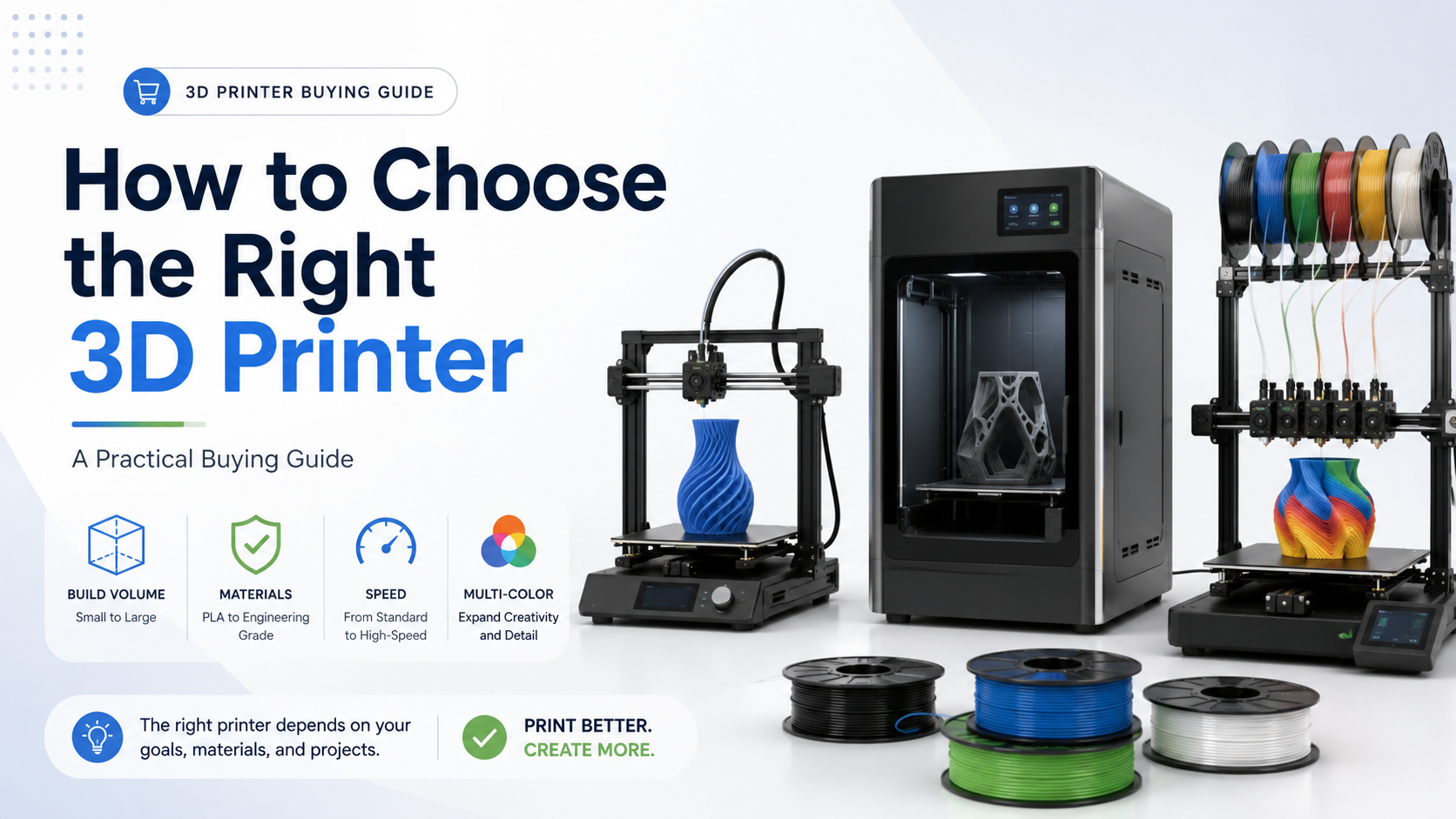
Choosing a 3D printer is not simply about finding the fastest or most expensive machine. The right printer depends on what you want to make, which materials you plan to use and how often the machine will operate.
A compact desktop printer may be ideal for models and everyday prototypes, while engineering materials, large parts or continuous production may require an enclosed professional system.
This guide covers the main factors to consider before purchasing a 3D printer.
1. Start with Your Application
The first question should be:
What do you plan to print?
For decorative models, educational projects and basic prototypes, an entry-level desktop printer is often sufficient.
For functional parts, fixtures, mechanical components or engineering prototypes, you may need higher temperatures, better material compatibility and a more stable enclosed structure.
Common applications include:
- Hobby models and decorations
- Product prototypes
- Educational and STEM projects
- Jigs and fixtures
- Replacement parts
- Mechanical components
- Small-batch production
- Multi-color display models
Defining the application first helps prevent overpaying for features you do not need.
2. Choose the Right Build Volume
Build volume determines the maximum size of a part that can be printed in one piece.
A build volume around 180 × 180 × 180mm is suitable for smaller models and limited workspaces. A 256 × 256 × 256mm platform provides more flexibility for everyday projects and functional prototypes.
Large-format printers are more suitable for:
- Large enclosures
- Cosplay parts
- Architectural models
- Multiple parts printed together
- Production fixtures
- Oversized prototypes
A larger printer requires more workspace and may also increase shipping, power and material costs. Choose the smallest build volume that comfortably supports your normal projects.
3. Check Material Compatibility
Not every printer is designed for every filament.
Open-frame desktop printers are commonly used with:
- PLA
- PETG
- TPU
- PVA and support materials
Enclosed printers are generally more suitable for:
- ABS
- ASA
- PC
- PA
- PET
- Engineering filaments
- Carbon-fiber or glass-fiber reinforced materials
High-temperature materials may require a heated chamber, hardened-steel nozzle and wear-resistant extruder gears.
Before purchasing a printer, check:
- Maximum nozzle temperature
- Maximum build-plate temperature
- Chamber heating capability
- Nozzle and extruder material
- Recommended filament list
For engineering applications, material compatibility is often more important than maximum printing speed.
4. Open-Frame or Enclosed Printer?
Open-frame printers are usually more affordable, easier to access and suitable for common low-temperature materials.
They are a practical choice for:
- PLA models
- Educational use
- Hobby printing
- General prototypes
- Well-ventilated workspaces
Enclosed printers provide a more controlled printing environment. They can help reduce warping and temperature fluctuations when printing demanding materials.
An enclosed printer is generally better for:
- ABS and ASA
- Engineering materials
- Larger functional parts
- Professional workspaces
- More consistent production
For offices, schools and shared workspaces, enclosure and filtration may also improve safety and usability.
5. Consider Multi-Color and Multi-Material Printing
Multi-color systems automatically switch between several filament spools during printing.
They are useful for:
- Colorful models
- Product samples
- Labels and symbols
- Educational projects
- Decorative parts
- Support-material printing
A standard four-slot material system is sufficient for many users. Larger systems may support more colors or provide automatic filament backup.
Multi-material printing is more demanding than basic multi-color printing. Different materials may require compatible temperatures, adhesion and extrusion settings.
For professional workflows, a dual-nozzle printer can provide cleaner separation between model and support materials while reducing some filament waste.
6. Compare Speed with Print Quality
Maximum speed is useful for comparing machines, but it should not be the only deciding factor.
Real printing performance also depends on:
- Acceleration
- Extrusion flow
- Frame rigidity
- Vibration compensation
- Cooling
- Filament type
- Model complexity
A printer advertised at a high maximum speed may operate more slowly for detailed parts or engineering materials.
For business use, consistent output and reduced failed prints are usually more valuable than maximum headline speed.
7. Look at Automation and Monitoring
Modern 3D printers can reduce setup time through automatic calibration.
Useful functions include:
- Automatic bed leveling
- Automatic Z-offset calibration
- Flow calibration
- Vibration compensation
- Filament run-out detection
- Tangle detection
- Camera monitoring
- Power-loss recovery
- AI-assisted error detection
These features are especially valuable for beginners, schools and businesses operating multiple machines.
Automation cannot eliminate every printing issue, but it can make daily operation more reliable.
8. Consider Maintenance and Replacement Parts
A printer should be easy to maintain throughout its service life.
Check whether the machine offers:
- Replaceable hotends
- Multiple nozzle sizes
- Available build plates
- Accessible extruder components
- Replacement belts and cutters
- Cleaning and maintenance parts
- Software and firmware support
Quick-swap hotends are useful when changing nozzle sizes or replacing worn components.
Before purchasing, confirm that consumables and replacement parts are readily available.
Which Type of Printer Should You Choose?
Choose a compact desktop printer for small models, educational projects and limited workspaces.
Choose a standard desktop printer for general prototypes, functional parts and everyday use.
Choose an enclosed printer for ABS, ASA and engineering materials.
Choose a multi-color printer for visual models, product samples and automatic filament switching.
Choose a dual-nozzle or professional printer for multi-material parts, support-material workflows and demanding production applications.
Choose a large-format printer when the size of your parts is the main requirement.
Final Thoughts
The best 3D printer is the one that matches your normal materials, part size and workflow.
Before comparing prices, define your required build volume, filament types and production goals. Then evaluate enclosure, automation, multi-material capability and maintenance support.
A suitable printer can reduce failed prints, simplify operation and provide better long-term value than a machine selected only by maximum speed or price.